Vulnerability Management

CVE Tracking & Vulnerability Management

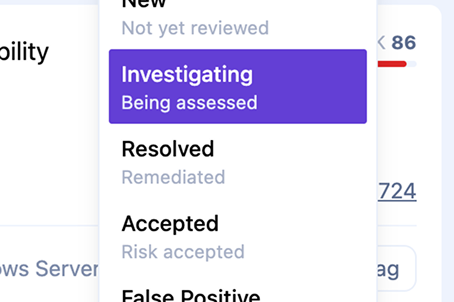
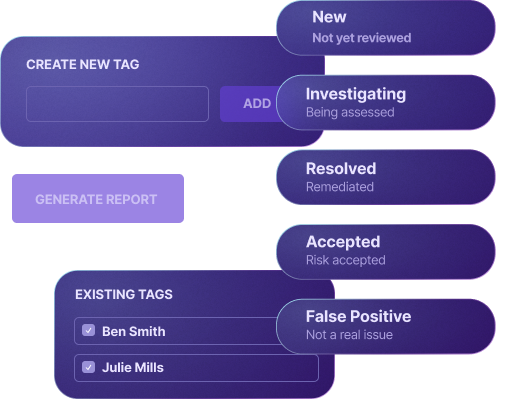
Tag vulnerabilities, change status (open, resolved, not affected, accept risk), and generate reports to stay on top of your security posture.
See it in action

Watch how it works

secalerts.co

Key Benefits

Status Tracking

Status Tracking

Mark vulnerabilities as open, resolved, not affected, or accept risk with full audit trail.
Custom Tags

Custom Tags

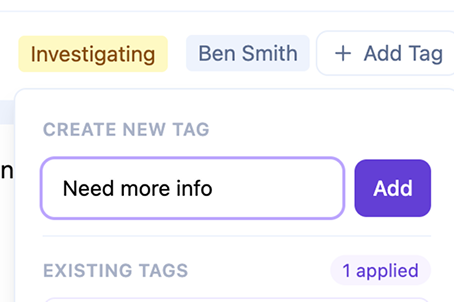
Organize vulnerabilities with your own tagging system for easy filtering and reporting.
Team Collaboration

Team Collaboration

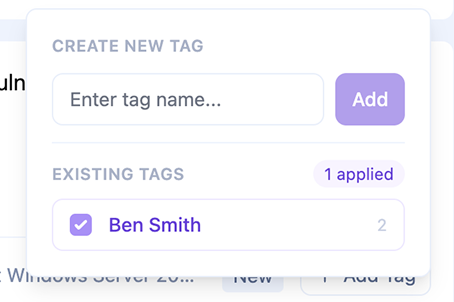
Assign vulnerabilities to team members and track remediation progress.
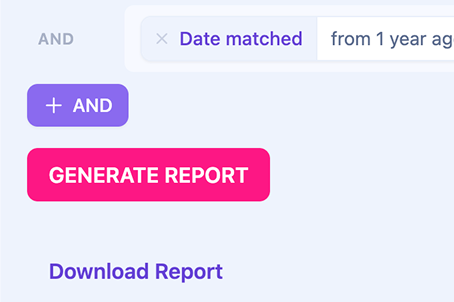
Comprehensive Reports

Comprehensive Reports

Generate reports for stakeholders, audits, and compliance requirements.

How It Works

1

Vulnerabilities are detected

SecAlerts matches CVEs to your software inventory automatically.

2

Triage and prioritize

Review vulnerabilities, assess impact, and set priorities based on your environment.

3

Track remediation

Update status as your team works through fixes. Add notes and tags for context.

4

Report and verify

Generate reports and verify fixes are deployed across all affected systems.

Features

Status workflows

Open, In Progress, Resolved, Not Affected, Risk Accepted

Custom tags

Create your own tagging taxonomy

Notes and comments

Add context and discussion to each vulnerability

Assignment

Assign vulnerabilities to team members

Due dates

Set remediation deadlines and track SLAs

Audit trail

Full history of all status changes and actions

Use Cases

Security Operations

Manage the full lifecycle of vulnerabilities from detection to remediation.

Compliance Requirements

Demonstrate due diligence with documented remediation workflows and reports.

Risk Management

Document risk acceptance decisions with proper justification and approval.

Ready to get started?

Start your free 30-day trial today. No credit card required.

Frequently Asked Questions

What statuses are available?
Open, In Progress, Resolved, Not Affected, and Risk Accepted. Each status change is logged with timestamp and user.
Can I customize the workflow?
Yes, you can create custom tags and use them to build your own workflow on top of the standard statuses.
How do I generate reports?
Navigate to the reporting section to generate PDF or CSV reports filtered by status, date range, severity, and more.
Is there an audit trail?
Yes, every status change, tag addition, and note is logged with the user and timestamp for full auditability.

Contact

SecAlerts Pty Ltd.
132 Wickham Terrace
Fortitude Valley,
QLD 4006, Australia
info@secalerts.co
By using SecAlerts services, you agree to our services end-user license agreement. This website is safeguarded by reCAPTCHA and governed by the Google Privacy Policy and Terms of Service. All names, logos, and brands of products are owned by their respective owners, and any usage of these names, logos, and brands for identification purposes only does not imply endorsement. If you possess any content that requires removal, please get in touch with us.
© 2026 SecAlerts Pty Ltd.
ABN: 70 645 966 203, ACN: 645 966 203